
Check Orange Voter Registration
Begin with the California My Voter Status tool when checking your own record. The Secretary of State presents it as self-service, not a public index of Orange residents. The research environment could not pass the tool's access screen, so its current labels, required entries, and matching rules could not be verified. They should not be guessed. Use the live official form and follow the prompts it displays.
| Official route | Verified function | Known inputs | Access limit |
|---|---|---|---|
| My Voter Status | Check your own status | Research gap: exact live fields were blocked | Not a browse-all-voters tool |
| RegisterToVote.ca.gov | Register, preregister, or check status | Use the current official prompts | Voter self-service |
| OC Vote Data Central | View registration totals | City, district, and year filters | Counts, not individual records |
If the self-check does not answer a question, contact the election office through the official route. Do not substitute a county statistics report for a personal status check. The two systems answer different questions and publish very different levels of detail.
The official My Voter Status screen is visible at the Secretary of State voter-status source.
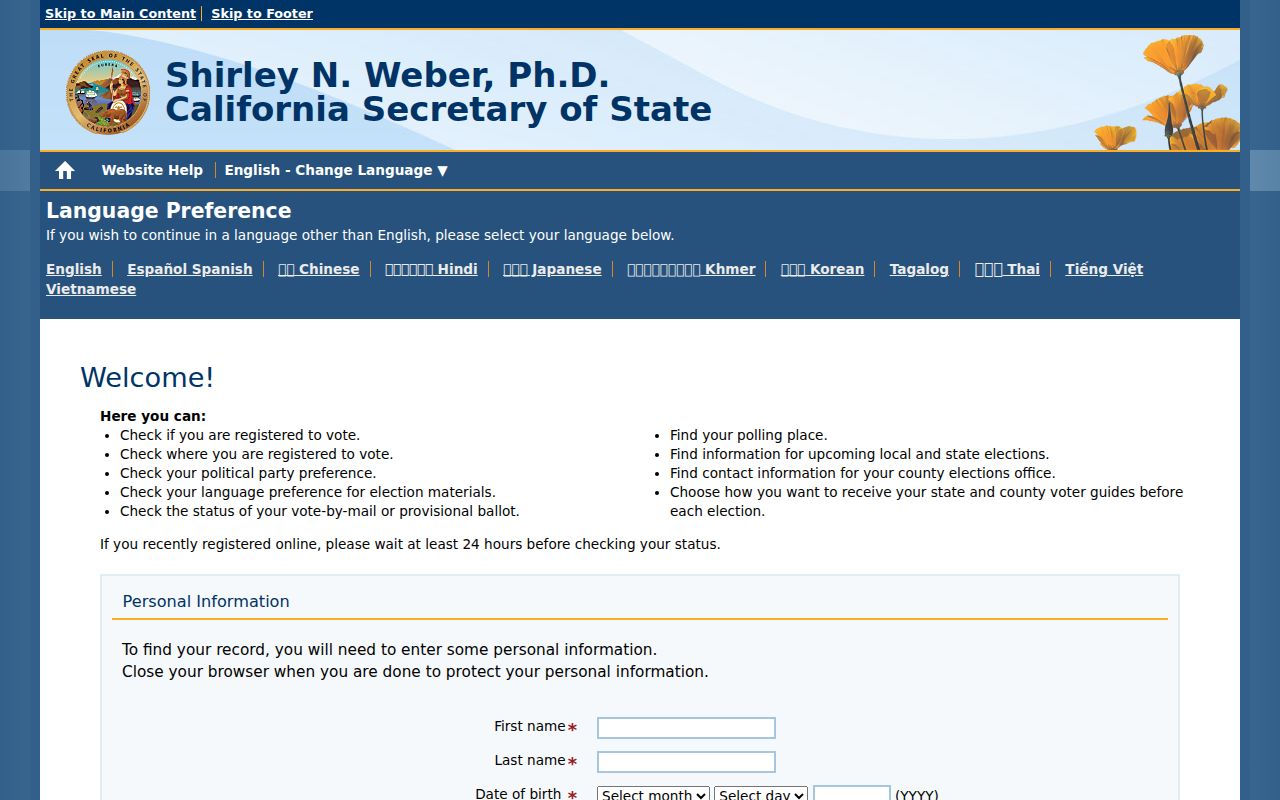
The captured screen identifies the correct state service, while the live form remains the authority for its current prompts.
Orange Voter Registration Actions
RegisterToVote.ca.gov offers three verified actions: register to vote, preregister at ages 16 or 17, and check registration status. Those actions serve an Orange voter directly. They do not reveal another person's voter record, and they do not turn the statewide service into a general name search.
- Choose the official action that fits the task: register, preregister, or check status.
- Complete only the live fields shown by the state service. Review entries before sending them.
- For aggregate Orange County trends, leave the self-service path and use Data Central instead.
The state's registration portal is shown in the official RegisterToVote source.
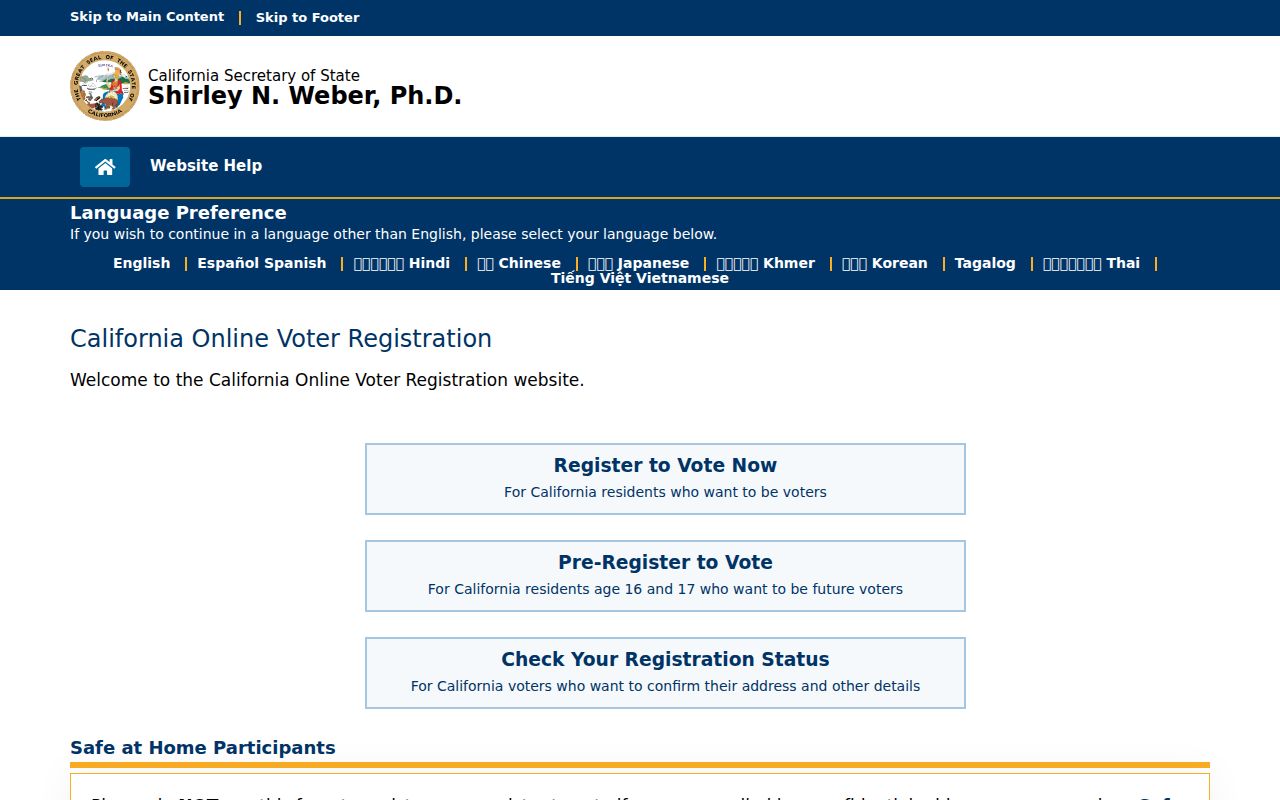
The service keeps voter actions in one official place and separates them from restricted file requests.
Note: A status check is personal self-service, while a voter-file application requires a legally approved purpose and separate review.
Orange Voter Records Stay Restricted
California does not treat voter registration information as data routinely open to the public. Elections Code §§ 2188 and 2194, Government Code § 7924.000, Elections Code § 18109, and state regulations govern access. The restricted model matters in Orange because a person cannot browse the voter rolls at the Registrar's office or use the self-check service to investigate neighbors.
Access may be approved for candidates, qualifying committees, or people using the data for election, scholarly, journalistic, political, or governmental purposes. The Secretary of State decides whether a stated purpose qualifies. That is narrower than the general system used for many agency records. For the broader framework, consult the Orange public records access overview.
Confidential under California law. Driver license and California ID numbers, Social Security number data, unique identifiers, signatures, protected-voter records, and minor preregistration records are excluded. Elections Code § 2194 also bars routine public display of registration affidavits.
Fields in Orange Voter Records
An approved California data file can contain far more than a status page. The published PVRDR layout organizes identifiers, names, address parts, registration facts, districts, and election participation into linked text files. Presence in the layout does not make a field public to everyone. Release depends on approval, exclusions, the requested geography, and the recipient's authorized purpose.
| Name and identifiers | Name prefix and name parts; county, registrant, extract, EMS voter, and precinct IDs. |
|---|---|
| Residence and mailing | Structured residence parts plus mailing lines, city, state, ZIP, and country fields. |
| Registration facts | Party code, status, registration date and method, place of birth, language, and other layout fields. |
| District details | Precinct plus district name, type, and district file references. |
| Voting history | Election type, date, name, and participation method. |
| Ballot choices | Never shown. Participation history does not reveal selections on a ballot. |
Phone and email fields also appear in the file layout, but approval and confidentiality rules control what a recipient receives and may use. Protected records under Elections Code §§ 2166, 2166.5, 2166.7, and 2166.8 are not supplied with the ordinary file.
Orange Voter Counts by Place
The Orange County Registrar of Voters Data Central is the public alternative for questions about scale and geography. It publishes totals rather than names. Its visible filters allow a reader to view by city, district, or year. City choices include Orange; the district menu spans school, water, council, supervisory, legislative, and special districts.
| Data Central control | Available choice | What it answers |
|---|---|---|
| City | Orange and other county cities | Totals for a selected city |
| District | Local and regional district types | Counts within an electoral boundary |
| Year | Accessible historical choices include 2013 through 2017 | Past reports in the interface |
At research time, Data Central showed 1,904,881 active and 145,959 inactive voters countywide. Those figures are a dated snapshot, not a promise of today's total. Current PDF reports can also include city and district rows, so check the live source before citing a number.
The county dashboard appears in the official Data Central source.
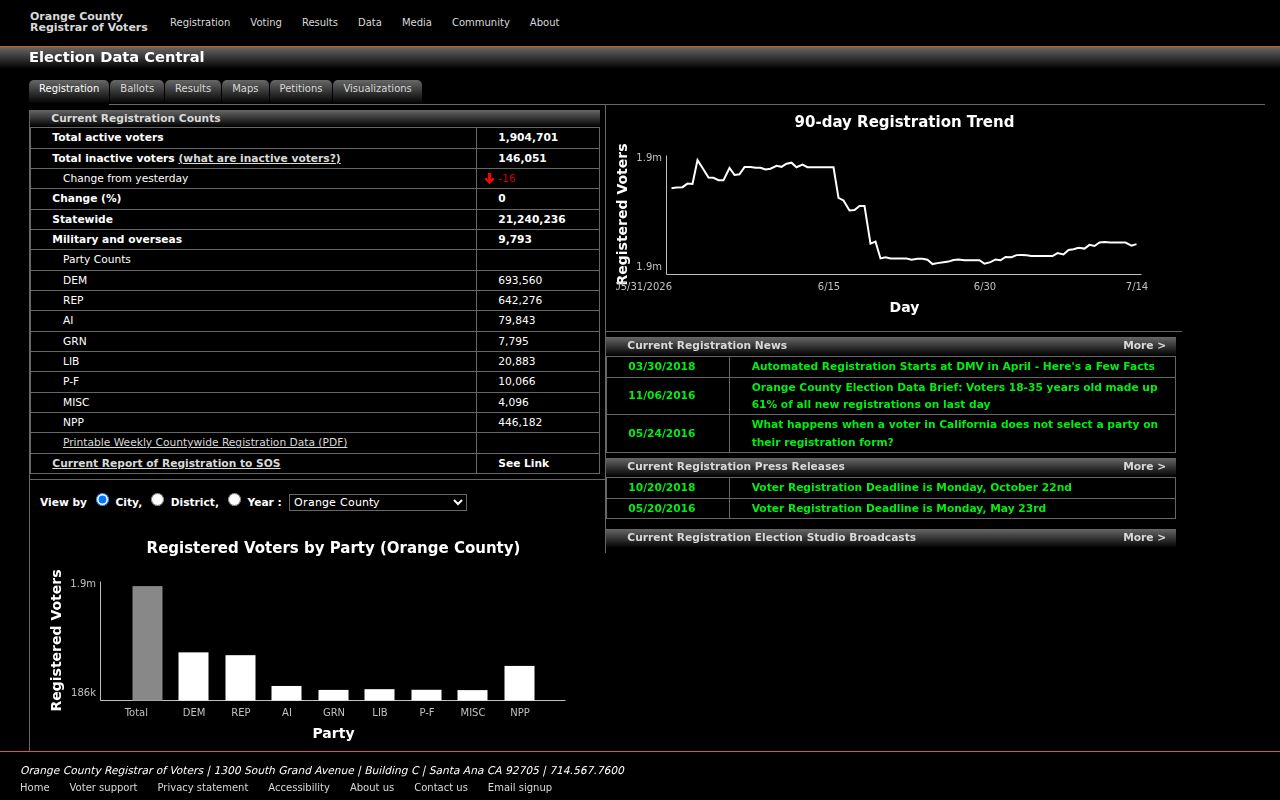
The dashboard makes voter geography visible without exposing any Orange resident's individual file.
Request Orange Voter File Data
A qualified applicant may request the statewide file from the Secretary of State, a county-specific file from an elections official, or as many as 10 specific voter records on one application. Approval is never automatic. The applicant must explain the intended use, identify any beneficiary organization, and describe how the information will remain secure and confidential.
- Download the California voter file application and choose the state, county, district, or specific-record request.
- Complete the applicant, purpose, use, security, delivery, and agreement sections. Add support for the claimed authorized purpose.
- Sign with an original wet signature and attach a clear copy of a current driver license or state ID.
- Include the fee and send the package by mail, courier, or hand delivery to the Secretary of State in Sacramento. Email and fax are not accepted.
The form asks for the applicant's name, phone, email, business address, and a mailing address when different. A request that benefits an organization or committee must identify that beneficiary. Separate checkboxes record the organization type and purpose, while a free-text section asks how the file will be used and kept secure. Data requests may ask for inactive records, voting history, or precinct-to-district data. The shipping section records a recipient, address, and delivery choice. These entries give the Secretary of State enough detail to compare the claimed purpose, requested scope, and security plan before deciding whether an Orange County extract qualifies.
The state gives a 7 to 14 business-day review and processing estimate after receipt. A request for specific records calls for full name, date of birth, county of residence, and residence address. Those are application identifiers supplied by the qualified requester, not proof that the same details will be publicly released.
Orange Voter File Cost
The application states a charge of $15 per thousand records, with a $15 minimum and $100 maximum for Secretary of State data. A specific voter record costs $30, with the total capped at $100 and no more than 10 records per application. County charges may differ when a file comes from a county elections official.
Approved statewide, county, or district files are distributed on encrypted DVD as three plain-text, tab-delimited files: voter data, voting history, and district data. A tab-delimited file separates each field with a tab so database or spreadsheet software can read it. Specific records arrive by email in an encrypted WinZip attachment. The form also presents Secure FTP as a data-format option. Delivery controls are part of the security process, not a mere format preference.
Note: Confirm the current form and charge before filing because the official application controls if a published summary and form differ.
Protected Orange Voter Addresses
California Safe at Home supplies a substitute mailing address for eligible participants under Government Code §§ 6205-6216. Enrollment takes place through a designated enrolling agency rather than an online form. This protection explains why an address may be withheld or replaced even when an authorized file otherwise includes structured residence and mailing fields.
Protected voter categories under Elections Code §§ 2166 through 2166.8 are excluded from released files. The safeguard is intentional. A missing or substituted address should not be treated as a database mistake or a prompt to search for a concealed residence through another source.
The program can also affect records outside the election system. Government Code § 6209.5 lets participants ask to replace a residential address on real property deeds, change-of-ownership forms, and deeds of trust. An Orange researcher comparing a voter file with land records may therefore see the same lawful privacy measure in more than one custodian's files. Follow the official substitute address and do not try to reverse it.
Limits on Orange Voter Data
Approval ties the file to the stated purpose. The application prohibits unapproved use, unauthorized transfer, harassment of a voter or household, advertising or marketing use, unsecured posting, and other disclosures outside the law. Recipients must keep both online and offline copies secure. Elections Code § 2194 defines the use limits, while Elections Code § 18109 makes violations a misdemeanor and allows significant fines.
Use the narrowest official route. A voter checking status should use self-service. A reader studying Orange election trends should use Data Central. Only a qualified applicant with an approved purpose should seek voter-file data.
Suspected file misuse can be reported to the California Secretary of State VoteCal Help Desk at (888) 868-3225 or votecalhelp@sos.ca.gov. Historical Orange poll-book dates were not verified in the research, so no specific local series should be claimed. Ask the Orange County Archives, California State Archives, or Orange Public Library History Center what cataloged election material they actually hold before planning an archival search.